Security · Study Tool · Vanilla JS
Security+ SY0-701 Study Lab
An interactive study aid for the CompTIA Security+ (SY0-701) exam, built while preparing for it. Three modes in one self-contained page: a cheat-sheet of the term pairs that trip people up, flip flashcards, and a scored, domain-tagged practice quiz — content deliberately weighted toward the highest-confusion topics.
- Vanilla JS
- Zero deps
- Flashcards
- Scored quiz
- Domain-tagged
- Client-side
🔒 The live tool is admin-only — gated server-side, so the content is only sent to a signed-in administrator.
Q7. A user-supplied comment field runs a script in another visitor's browser. Which attack is this?
A) SQL injection B) Cross-site scripting (XSS) ✓ C) CSRF D) Directory traversal why: XSS executes in the victim's browser; SQLi targets the database. The "tell": whose code runs — client vs server. score: 6 / 7 · press [N] for next question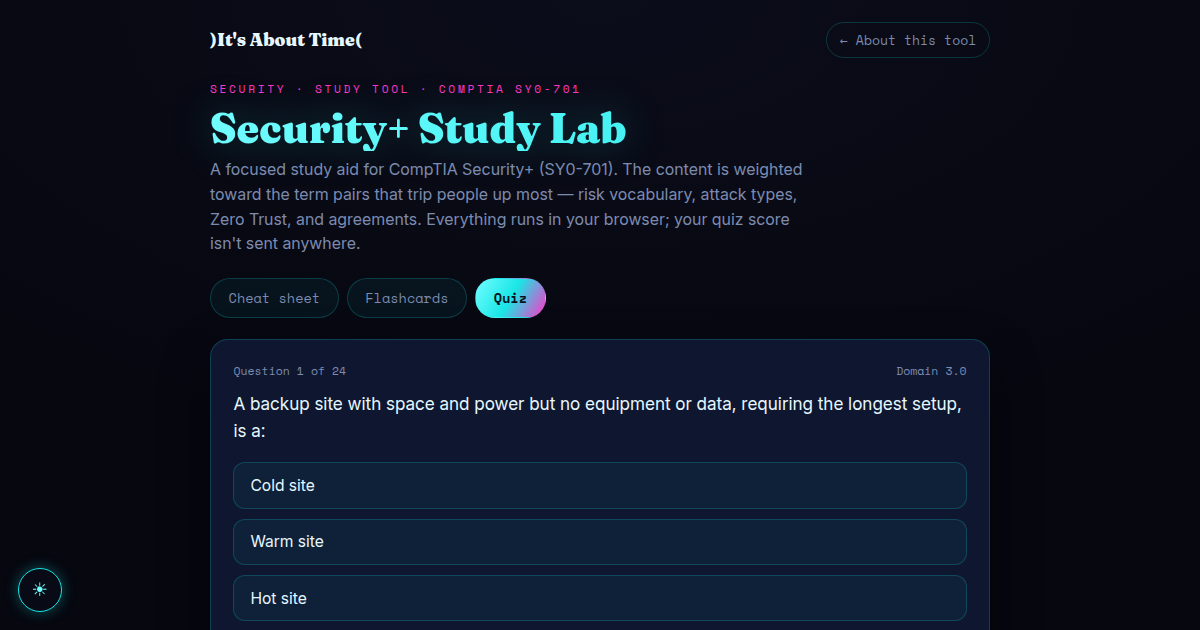
Live tool is admin-gated — cover above shows the real interface.
Overview
Studying for Security+ surfaced a clear pattern: most missed questions weren't knowledge gaps, they were vocabulary traps — risk appetite vs tolerance, XSS vs SQLi, end-of-life vs legacy, the Zero Trust planes. So this tool isn't a generic flashcard app; its content is curated from exactly those confusion points, with each item tagged to its SY0-701 domain so weak areas are easy to spot.
What's in it
📋 Confused-pair cheat-sheet
Side-by-side distinctions for the most-mixed-up terms, each with the one-line "tell" that decides the answer and its exam domain.
🃏 Flip flashcards
A 3D card flip (term → distinction), with previous/next and a crypto-random shuffle for spaced review.
✅ Scored practice quiz
Dion-style multiple-choice questions with instant right/wrong highlighting and an explanation of why, plus a running score.
📊 Per-domain breakdown
The results screen scores you by domain (1.0–5.0), so you know exactly where to study next, then reshuffles for another run.
How it works
- Data-driven: the cheat-sheet, flashcards, and quiz all render from plain JS arrays — adding a question or a term pair is a one-line edit.
- No backend, no tracking: everything runs in the browser; your quiz score is never sent anywhere.
- Fair shuffling: question and card order use the Web Crypto
getRandomValuesfor an unbiased shuffle, notMath.random. - Native to the site: it shares the theme and the light/dark toggle, so it isn't a bolted-on widget.